
For farewell parties
The farewell party that doesn't end up in a spreadsheet.
A group message, a joint gift, a clear RSVP. For send-offs that do people justice.


100% free

Use cases
Built for farewell party.
Everything you need, nothing you won't use.
Group message
Every colleague leaves a note. You compile them into one beautiful message to give.
Simple RSVP
Who's coming? Who's bringing what? A clear count, no more chasing by email.
Gift ideas
Suggest ideas, colleagues vote and reserve. No more duplicate gifts.
Shared group fund link
Share your Lydia, Wero, PayPal or IBAN link internally. Each colleague chips in freely, and Orgaa never handles the money.
The guide
Organising a farewell party means bringing together, at short notice, colleagues from several teams for a friendly get-together, a joint gift and a few kind words. The difficulty lies in the timing, which is often tight between the announcement and the last day, and in the collection: nobody likes chasing colleagues for money. A single link to sign up, suggest a gift idea and sign the group message saves you the reply-all email chains and the people who get forgotten.
When should you start organising a farewell party?
3 weeks before
Set the date with the person leaving
Pick a slot when they're still around, away from holidays and deadlines. Check whether a meeting room is free, or book a bar near the office.
2 weeks before
Cast the net wide
Think of former colleagues, other departments, and close clients or partners. Share the invitation link rather than a group email where replies get lost.
10 days before
Get the gift and messages going
Collect gift ideas, share the group fund link and ask everyone for a few words or a photo for the group message.
2 days before
Buy and prepare
Close the collection, buy the gift, and print or compile the messages. Share out drinks and nibbles, and line someone up to say a few words.
On the day
Make the moment count
Present the gift and the messages in front of everyone, take a group photo and make a note of the person's personal contact details so you can stay in touch.
What shouldn't you forget for a farewell party?
- Let management know and book the room or the bar
- Invite former colleagues and remote teams
- A card or guest book signed by everyone
- Soft drinks and something to nibble on
- A short speech, prepared by someone who knows the person well
- A video call for those who can't make it in person
- Cups, bin bags and tidying the room afterwards
- A group photo to send them afterwards
Who pays for what at a farewell party?
- Leaving gift
- Free, discreet contributions via the group fund link: nobody should feel obliged or compared.
- Drinks and buffet
- Often laid on by the person leaving; otherwise, everyone brings something and you share it out.
- Room or private hire
- First ask whether the company can lend a space; at a bar, everyone usually pays for their own drinks.
- Card and keepsakes
- Printing the messages, a frame, an album: small costs to fold into the gift rather than leave to the organiser.
Inside the app
Exactly what you'll see in Orgaa.
The key modules for farewell party, just as they appear in the app.

Marie
What time are we leaving?
6pm outside my place

Thomas
Perfect, I'll bring the drinks

Sofia
I'll take care of the cake
Great, see you soon!
Group chat
The chat dedicated to the event: messages, decisions and fun, all in one place.
 5
5AirPods 4
129 €
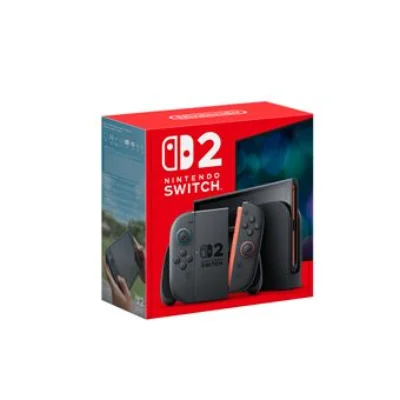
Nintendo Switch 2
499 €
 3
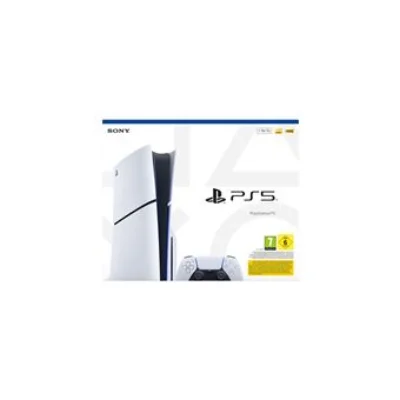
3PS5 Slim
549 €
 6
6Ausom scooter
699 €
Gifts
The central wishlist: vote, reserve, no more duplicates or spoiled surprises.
Group fund




Shared fund
A shared goal, your links (Lydia, PayPal, IBAN) and contribution tracking.
Features
What you won't find anywhere else.
An attention to detail other apps don't have.
Surprise mode
The surprise stays secret, truly.
The recipient sees neither the gifts nor the messages about them, until the reveal. A detail that changes everything.
- Content hidden on the recipient's side
- A dedicated chat for the organisers
- Reveal it whenever you want
Organisers
Léa's birthday
Group fund
Gift for Léa
For Léa
12 contributors
Cake & decorations
8 contributors
Gift list
Léa's wishlist
Beneficiary
Nothing to see here
The surprise stays secret until the big day.
Web RSVP
Your guests reply without installing the app.
One link is enough: the invitation card opens in the browser and the reply takes two taps. Those who want the app download it, the others don't have to.
- Attendance, adult or child plus-ones, a note to the group
- Add to calendar, directions and QR code straight from the page
- Wishlist and gift list bookable without an account
An account is created automatically on the first reply, with no password needed.



FAQ
Frequently asked questions: farewell party
Can't find your question? Contact us at contact@orgaa.fr.
Also for these events
One app, all your events.
Orgaa adapts to every occasion: birthdays, weddings, bachelorette parties, trips.









Download Orgaa
Ready to organise differently ?
Available on iOS and Android. Free forever, no subscription.
No bank card. No paid version.